Developer account registration
Last Updated: 2025-10-29
Language Supported:
English /
简体中文 /
繁體中文 /
Português (Brasil) /
ไทย
There are 2 key stages to creating a Shopee Open Platform account:
(A) Signing up
(B) Submitting profile details for approval

Read more about the steps below.
1. Signing up
1.1 From the Shopee Open Platform homepage, select Log In > select Sign up > fill in your email address
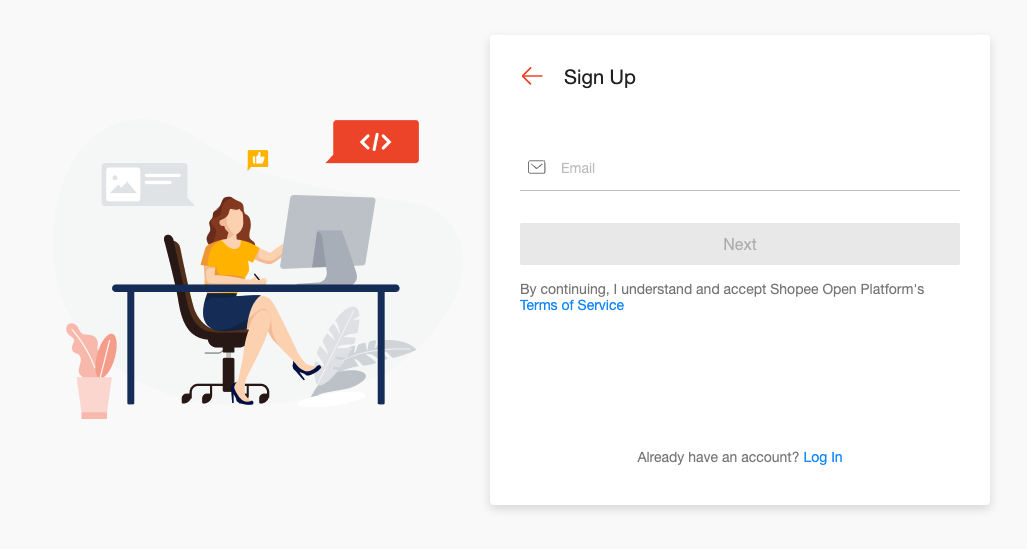
⚠️ Note: Account’s email cannot be changed once registered.
1.2 Check the inbox of your submitted email address for a verification code email from us.
⚠️Note: If you don’t see the email, check your Junk folder first. If there is still no email from us, select Resend.
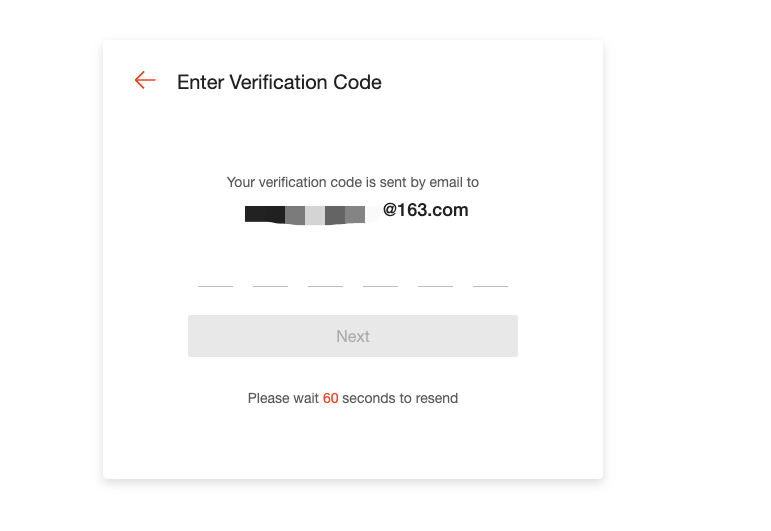
1.3 Input the verification code that you got from the email and set your password.
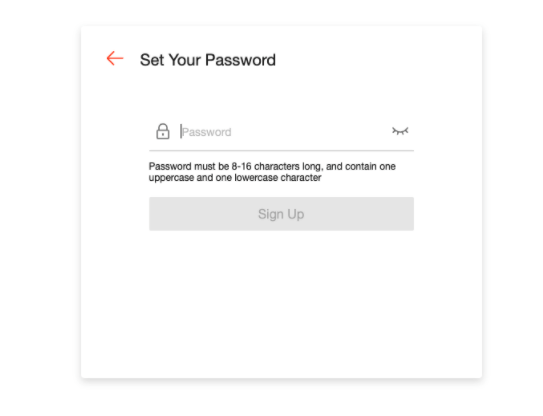
1.4 Once the password is set successfully, the page will automatically log in to your account, and you can view the open platform page.
⚠️Note: Before you can submit your profile details for approval (Section 4.), you need to understand which account type best suits your business, and the eligibility criteria for each.
2. Understanding Shopee Open Platform account types
- Individual Seller - Accounts of individuals who sell on Shopee without a business license.(Only support service your Shopee shop.)
- Registered Business Seller - Accounts of businesses selling on Shopee with a registered license.(Only support service your Shopee shop.)
- Third-party Partner Platform (ISV) - Accounts of businesses with registered licenses providing services to sellers on Shopee.
You can use the Account Type Selection table below to see which account type you should choose. Note that:
- The APPs you can create on Shopee Open Platform depends on the account type you apply for. Refer to App management page for details.
- Additionally, you need to meet the Shopee Open Platform Eligibility Criteria based on the markets you’re operating in and the account type you want to apply for.
| Account Type Selection | |||
|---|---|---|---|
| Are you a Shopee seller? | Are you an individual or an enterprise? | Which Account Type should you choose? | Description |
| Yes | Individual | Shopee Seller > Individual Seller | Accounts of individuals who sell on Shopee without a business license.(Note: You can only provide software services to your own Shopee shop.) |
| Yes | Enterprise | Shopee Seller > Registered Business Seller | Accounts of enterprises selling on Shopee with a registered license.(Note: You can only provide software services to your own Shopee shop.) |
| No | Third-party Partner Platform (ISV) | Accounts of enterprises with registered licenses providing services to sellers on Shopee. |
3. Shopee Open Platform Eligibility Criteria
View the eligibility criteria below for different account types:
- Shopee Seller
- Third-party Partner Platform
[For cross-border Third-party Partner Platforms]
Notify your Account Manager before you apply. If your company is registered in China, refer to Shopee企业ERP应用管理方案 for more information.
3.1 Shopee Sellers
To gain access to Shopee Open Platform, you have to meet the criteria of the market(s) you’re operating in:
| Market | Seller Criteria | |
|---|---|---|
| SG (Singapore) | 1. Individual Seller to provide valid personal identification documents during your application. 2. Registered Business Seller to provide valid business documents during your application. | Mall Sellers OR Managed Sellers OR Sellers with at least 30 orders in the last 30 days |
| MY (Malaysia) | Mall Sellers OR Sellers with at least 1 order in the last 30 days. | |
| TH (Thailand) | Mall Sellers OR Managed Sellers. | |
| TW (Taiwan) | Mall Sellers. | |
| ID (Indonesia) | Mall Sellers OR Managed Sellers OR Sellers with at least 30 orders in the last 30 days. | |
| VN (Vietnam) | Preferred Sellers OR Mall Sellers. | |
| PH (Philippines) | Mall Sellers OR Managed Sellers OR Sellers with at least 600 orders in the last 30 days. | |
| MX (Mexico) | N/A | |
| CO (Colombia) | N/A | |
| CL (Chile) | N/A | |
| CB-KR (Cross Border-Korea) | N/A | |
| CB-JP (Cross Border-Japan) | N/A | |
| BR (Brazil) | Registered business sellers with valid business documents in Brazil, and at least 1 order in the last 30 days. | |
| CB-CN (Cross Border- China) | Registered business sellers with valid business documents in China with at least 30 orders in the last 30 days.(Notify your Account Manager before you apply.) |
3.2 Third-party Partner Platforms
To gain access to the Shopee Open API Platform, you have to meet the following criteria:
- You’re a registered business. Provide valid business documents during your application.
- Your business product has to be live, with existing ecommerce integrations which are identifiable via a provided trial account.
- Your services should not include suspicious activities such as the selling of cross-border accounts, or extracting listing information to enable transactions outside of Shopee. You may refer to our Platform Partner Rules for more information.
- Submit live versions of (a) your business product’s URL, (b) trial account login details and enable all features for Shopee’s testing purposes.
- Your live business product URL must utilize a TLS 1.2 Protocol and begin with “https://”.
If you are a developer registered in the regions stated below, take note of the additional criteria that applies to you:
TW (Taiwan)
- Your existing ecommerce integration(s) must be with a major ecommerce platform that has regulations for user data privacy.
CB-CN (Cross Border-China)
- The business scope of your business license must be software development.
- Your registered capital must be higher than 100,000 RMB.
- You should have notified your Account Manager regarding your application.
CB-KR (Cross Border-Korea), CB-JP (Cross Border-Japan)
- You should have notified your Account Manager regarding your application.
4.Submitting profile details for approval
4.1 Log in to Shopee Open Platform > Console > App Management > App List > choose an account type depending on which description suits your business profile better.
⚠️Note: See the Understanding Shopee Open Platform account types section below for more details on eligibility.
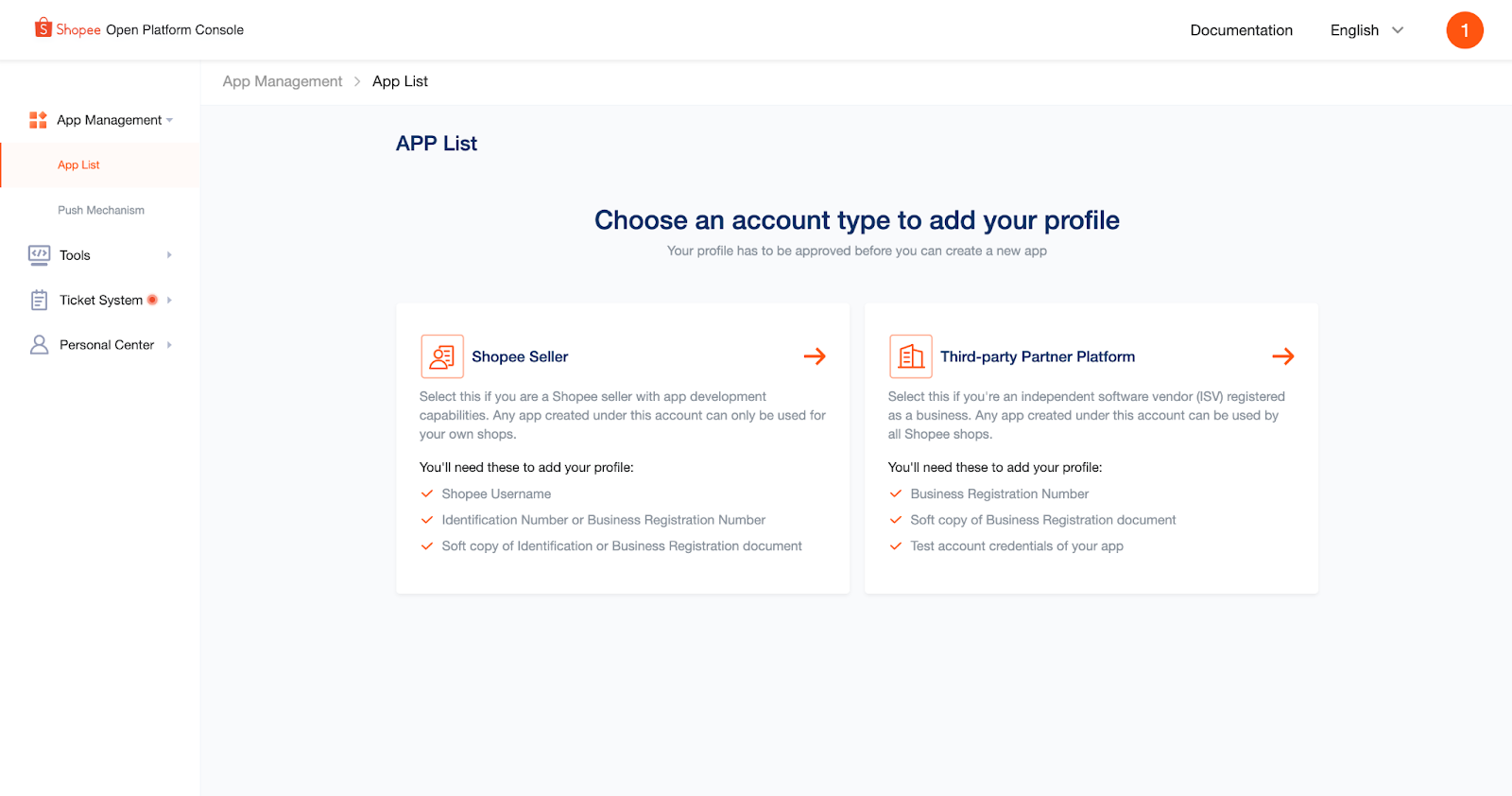
*Shopee Open Platform Console: Refers to the site for you to manage all Shopee Open Platform matters.
4.2 Fill in the details according to your account type
A. Shopee Seller > Individual Seller
B. Shopee Seller > Registered Business Seller
C. Third-party Partner Platform
4.2.1 Shopee Seller > Individual Seller
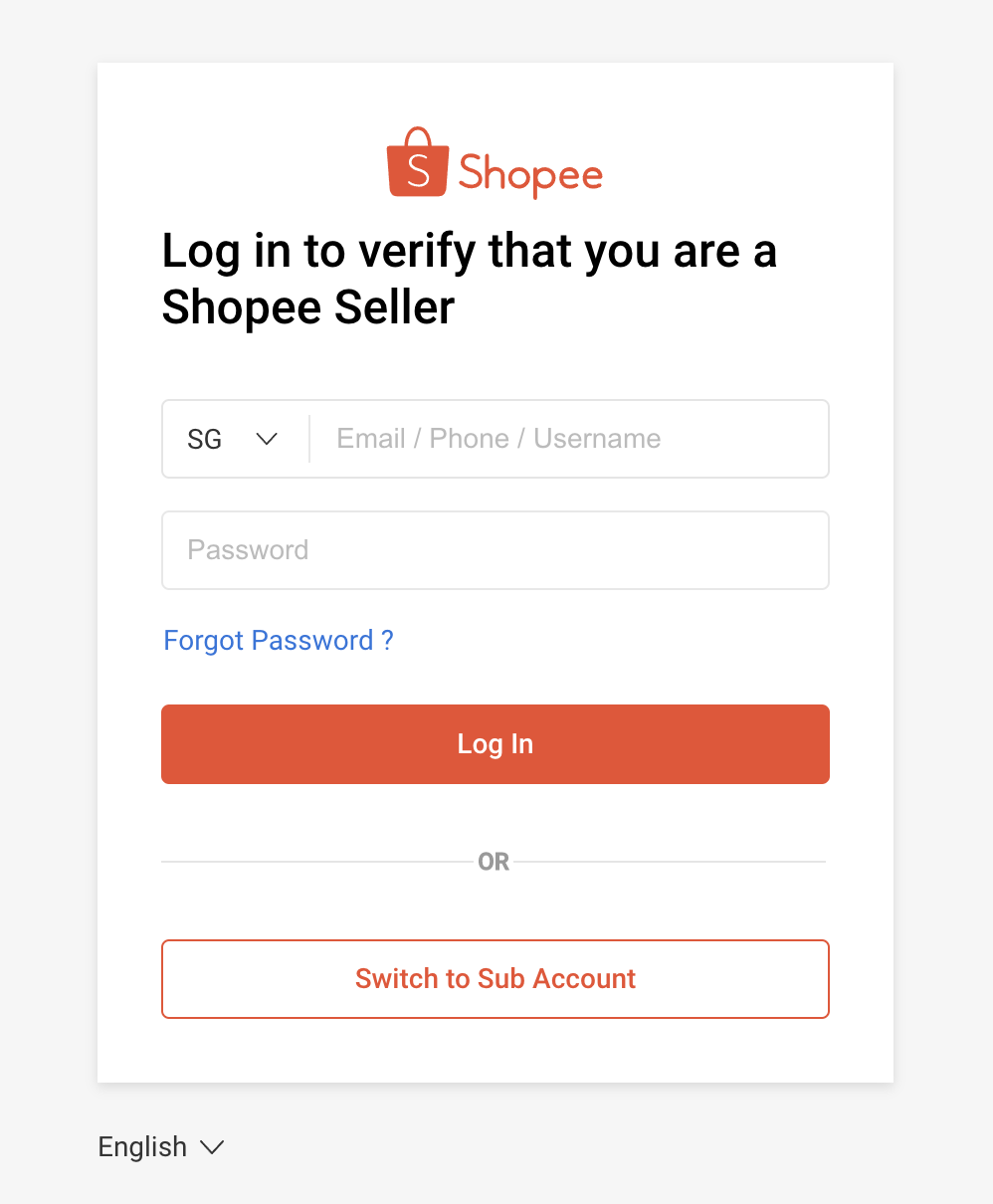
i) After selecting Shopee Seller as your account type, you will be redirected to verify your Shopee seller account. Fill in the correct Shopee seller account credentials > select Log In to complete verification.
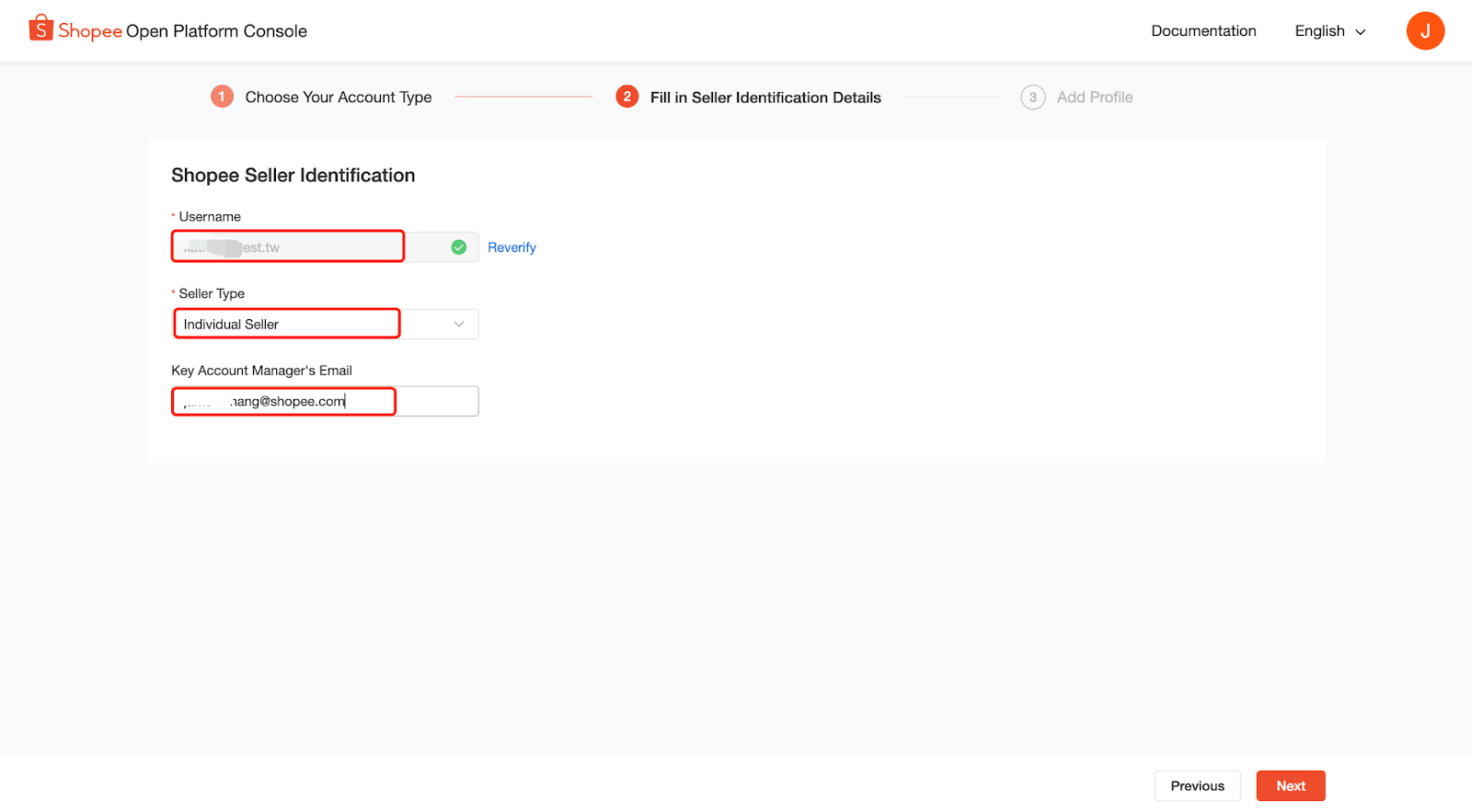
ii) If your seller account verification is successful, you can continue to fill in other Shopee Seller Identification details.
Select Individual Seller from the Seller Type dropdown menu > fill in your Key Account Manager’s Email > select Next.
⚠️Note: Key Account Manager's Email should be a valid Shopee email (ends with @shopee.com). If no Key Account Manager's Email, please leave it blank.
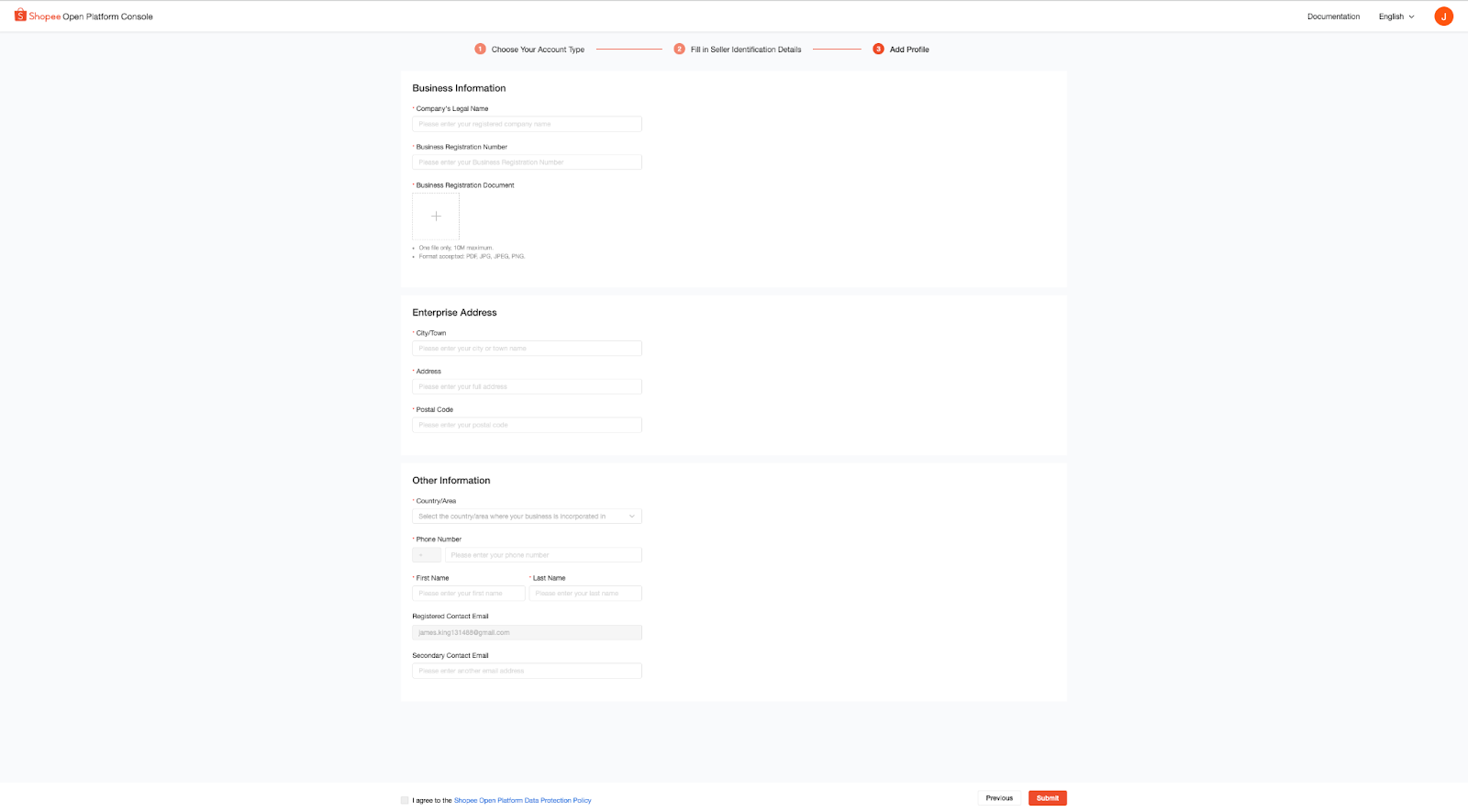
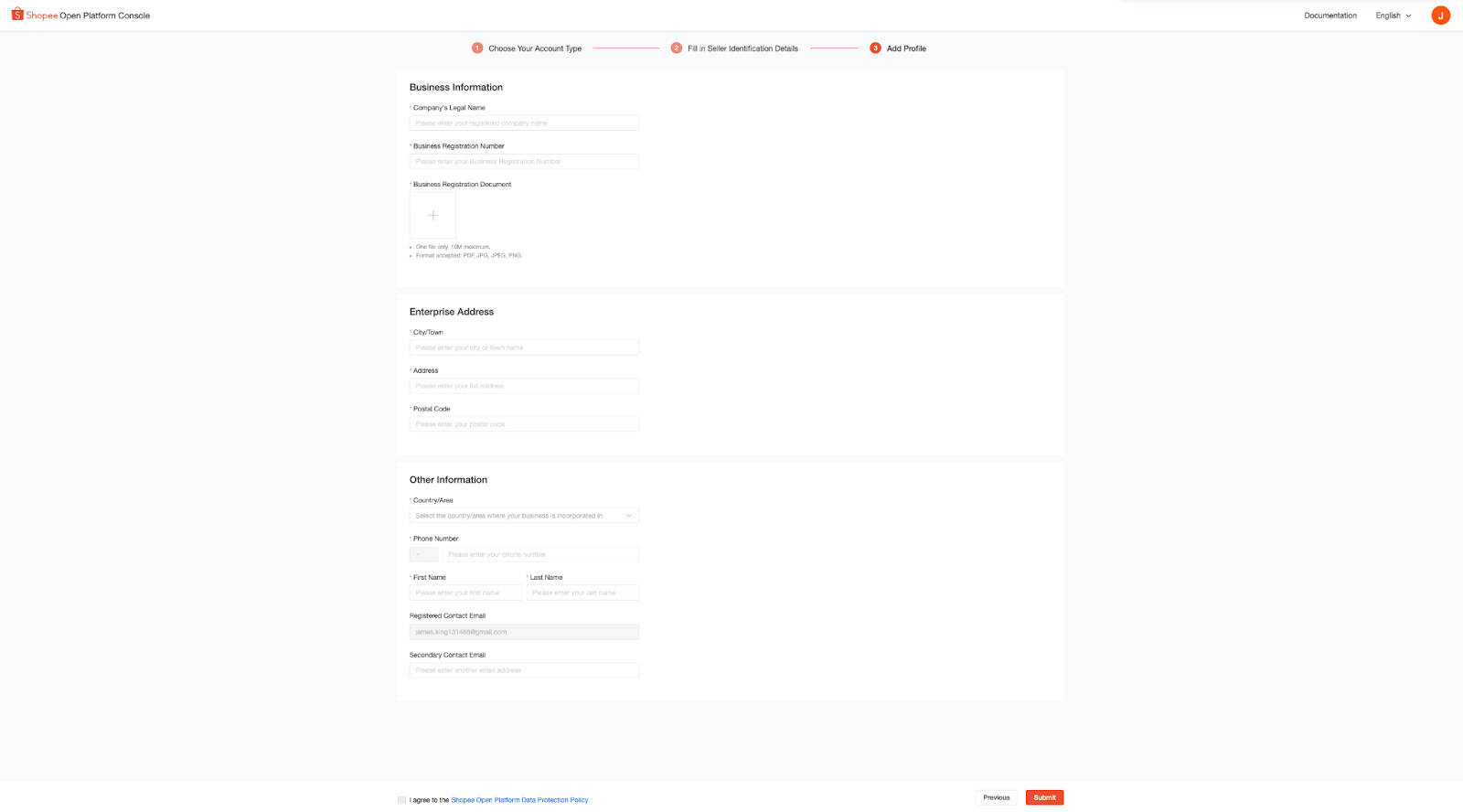
iii) Fill in all profile details > select Submit.
4.2.2 Shopee Seller > Registered Business Seller
i) After selecting Shopee Seller as your account type, you will be redirected to verify your Shopee seller account Fill in the correct Shopee seller account credentials > select Log in to complete verification.
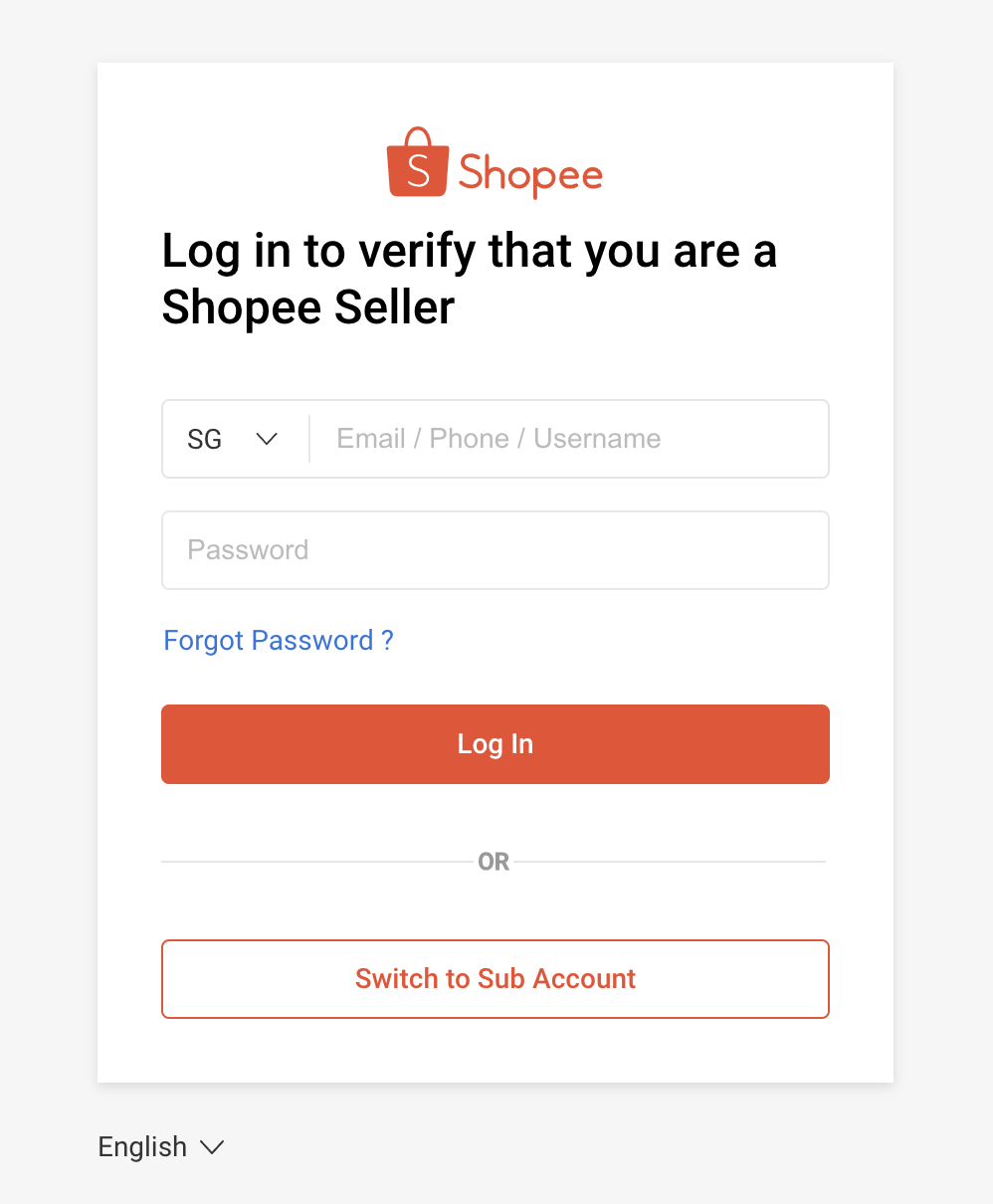
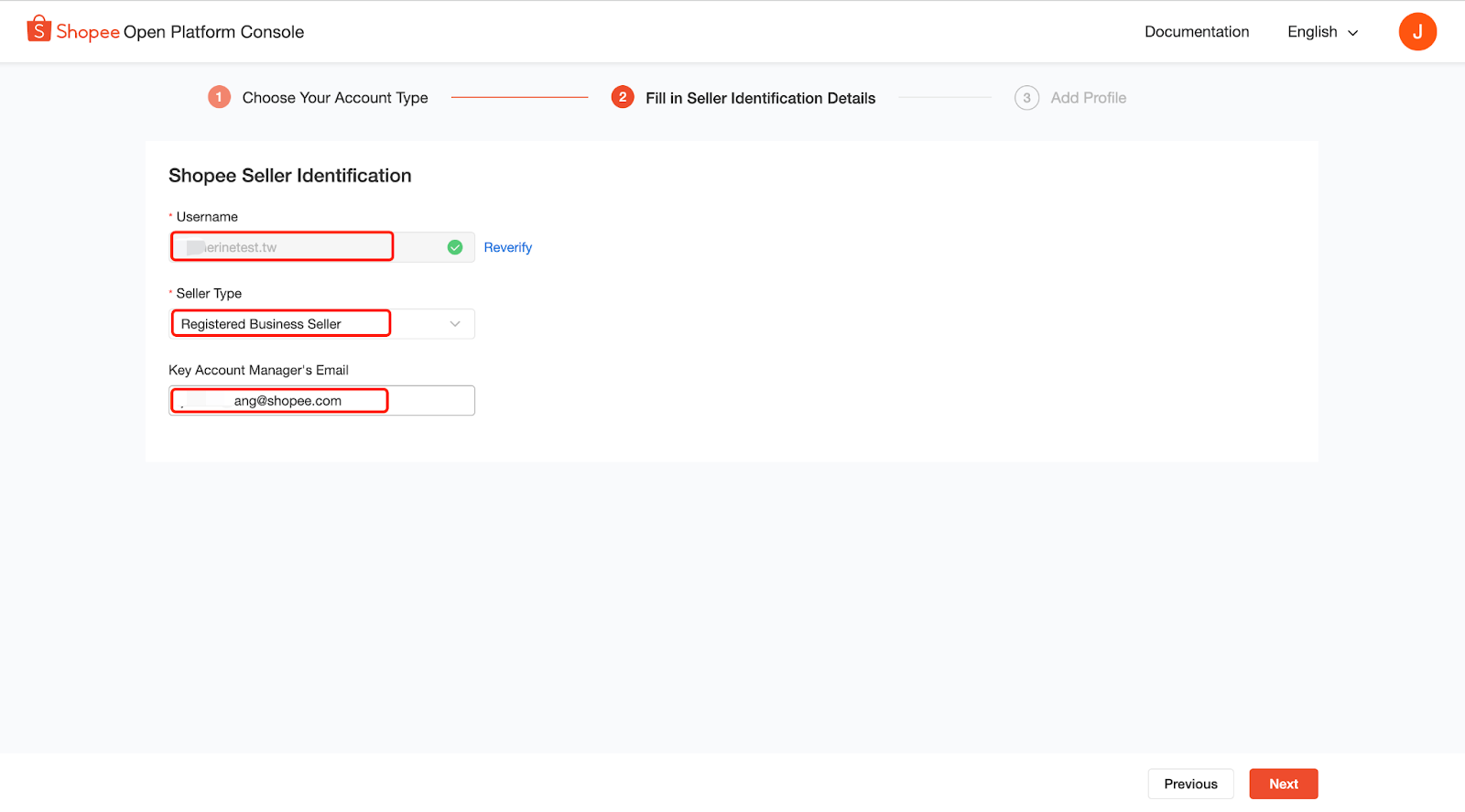
ii) If your seller account verification is successful, you can continue to fill in other Shopee Seller Identification details.
Select Registered Business Seller from the Seller Type dropdown menu > fill in your Key Account Manager’s Email > select Next.
⚠️Note: Key Account Manager's Email should be a valid Shopee email (ends with @shopee.com). If no Key Account Manager's Email, please leave it blank.
4.2.3 Third-party Partner Platform
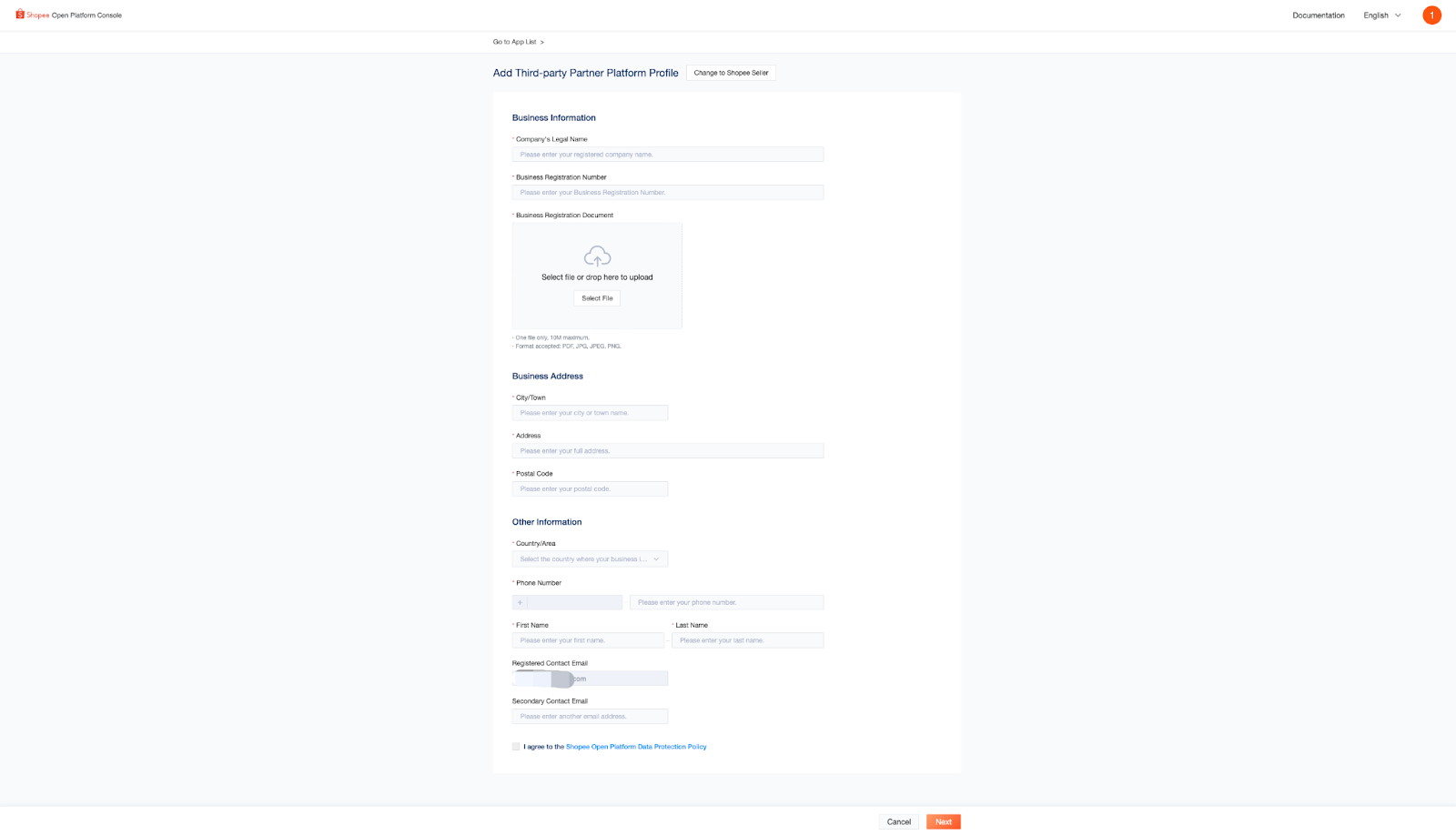
i) After selecting Third-party Partner Platform as your account type, you will be redirected to the Business Information section.
Fill in all profile details > select Next.
ii) Under the Services Information section, fill in your software service details and select Submit.
⚠️Note: Provide your software login address and live testing account for Shopee’s verification. URL should start with “https://” and utilize a TLS 1.2 Protocol.
4.3 Wait for your profile to be approved by Shopee
Once your application is approved, you will receive a notification email via your submitted email address.
⚠️ Note: Shopee Seller applications will be processed in 3 working days, while Third-party Partner Platform applications will be processed in 10 working days.
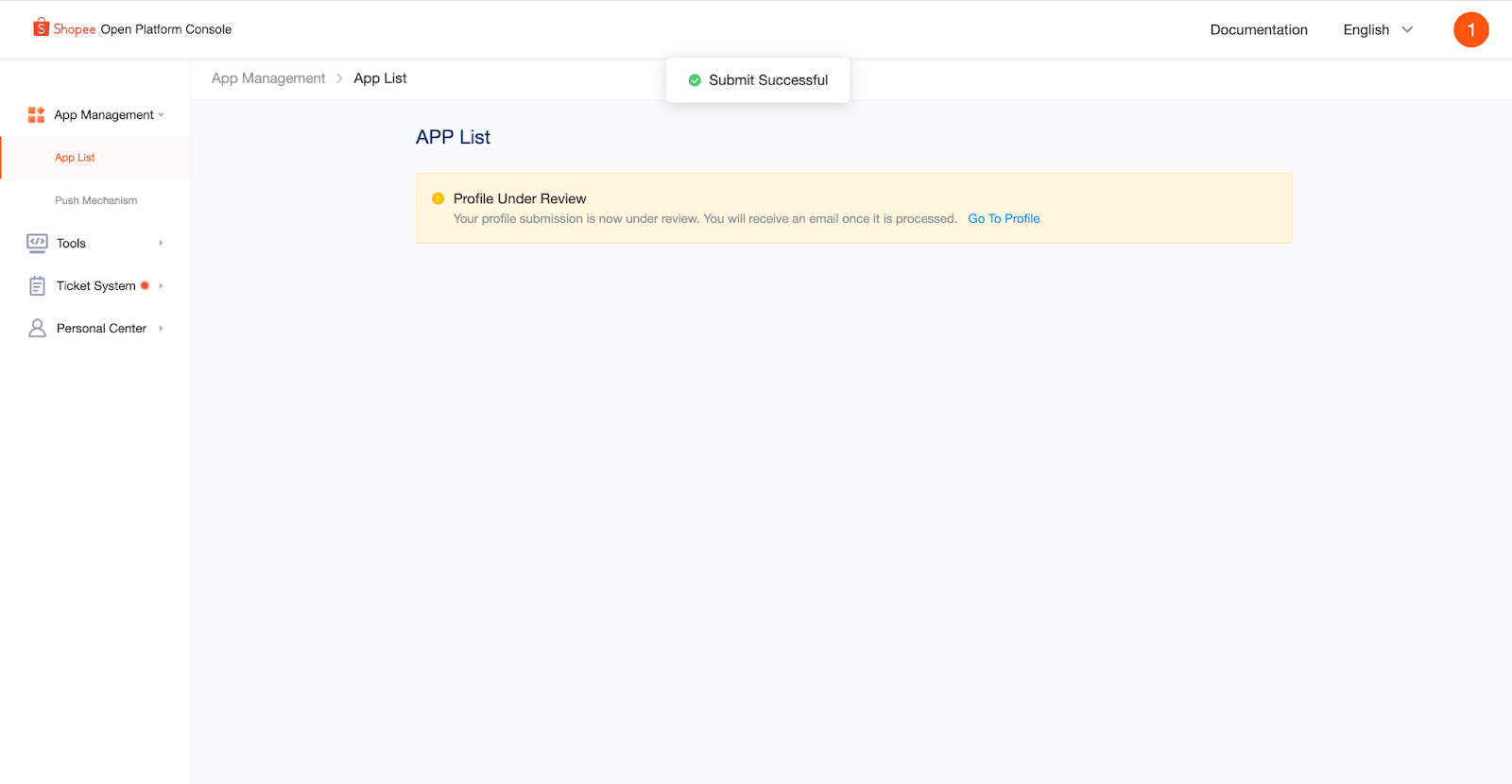
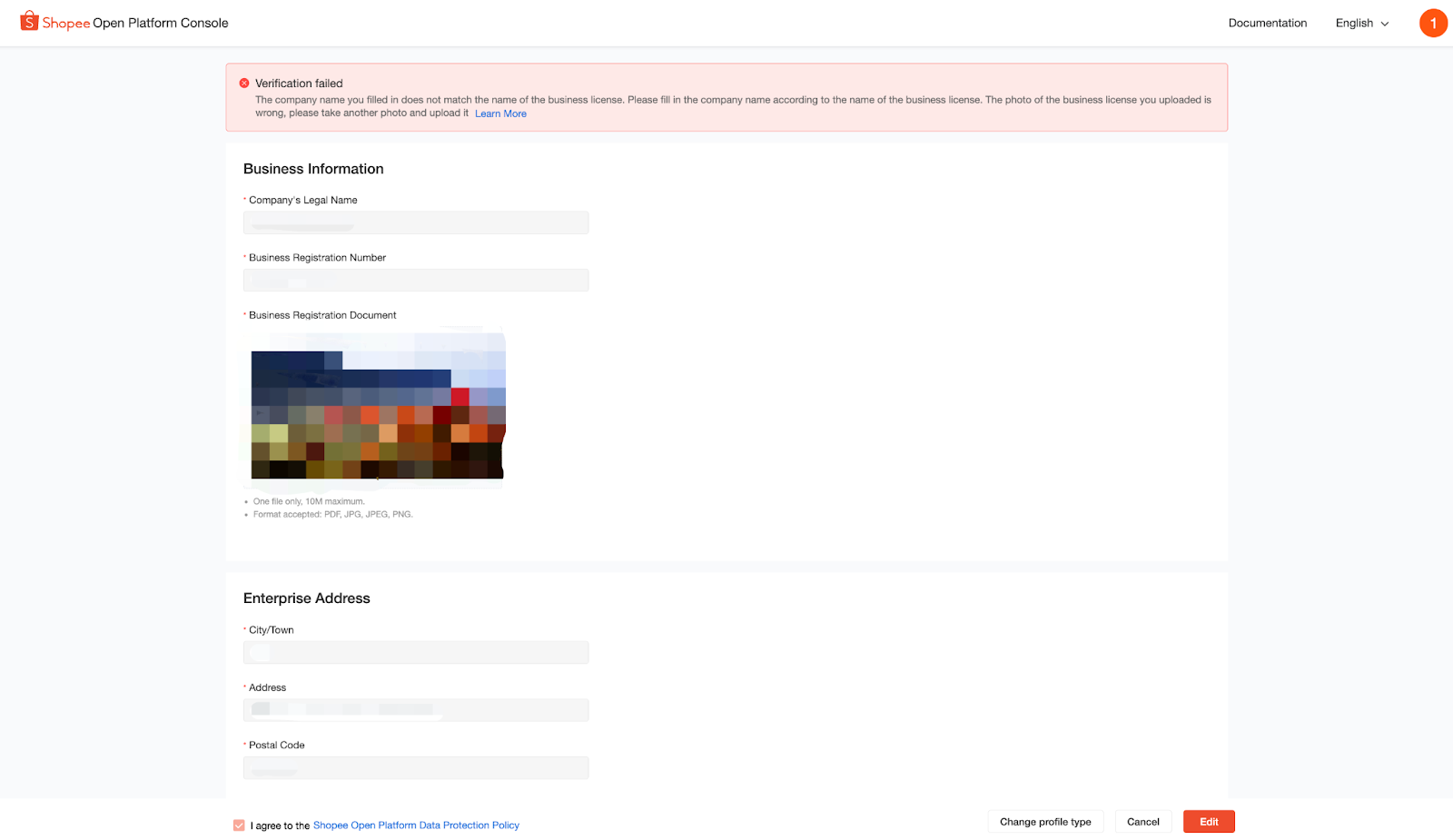
If your application isn’t approved, you can check the reason in the notification email sent to you or by selecting Go to Profile on the APP List page on Shopee Open Platform Console.
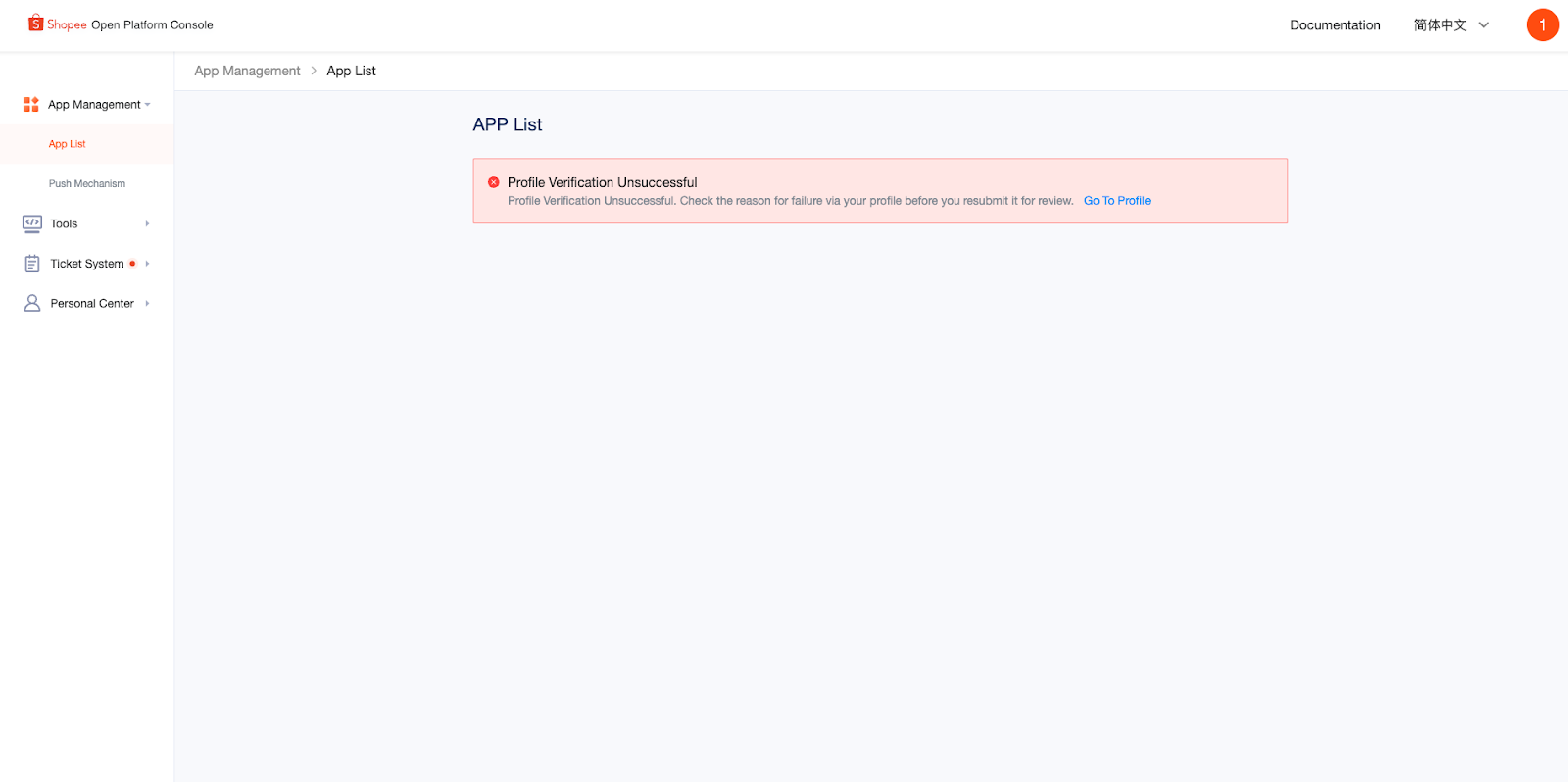
Select Edit to make the necessary changes before resubmitting.