Guidelines for Creating Product
Last Updated: 2022-11-01
Language Supported:
English /
简体中文 /
繁體中文 /
Português (Brasil) /
ไทย
- We recommend cross-border sellers who have upgraded CNSC/KRSC to read the following articles to create products:
2)For other types of sellers, we recommend reading the following articles:
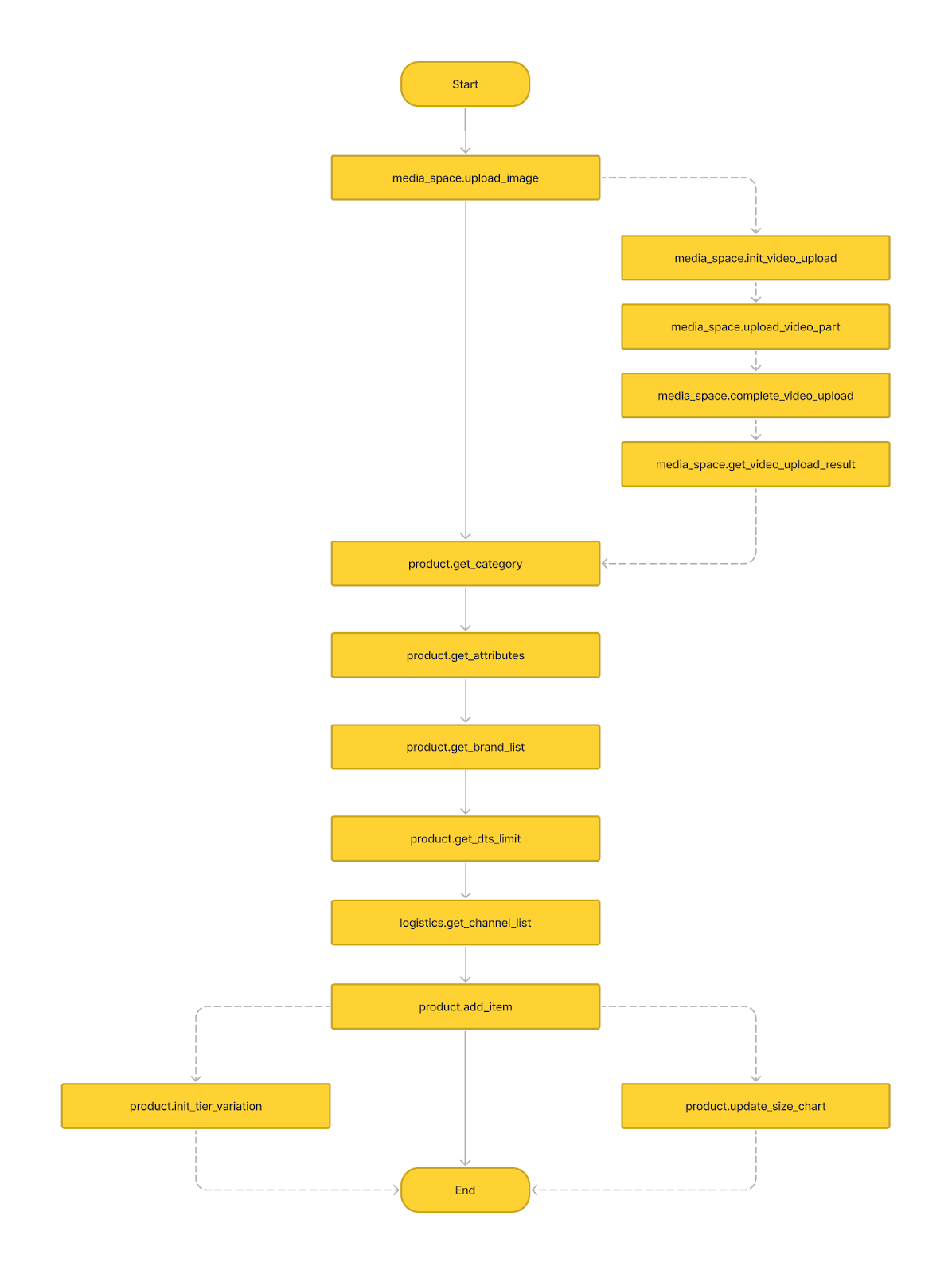
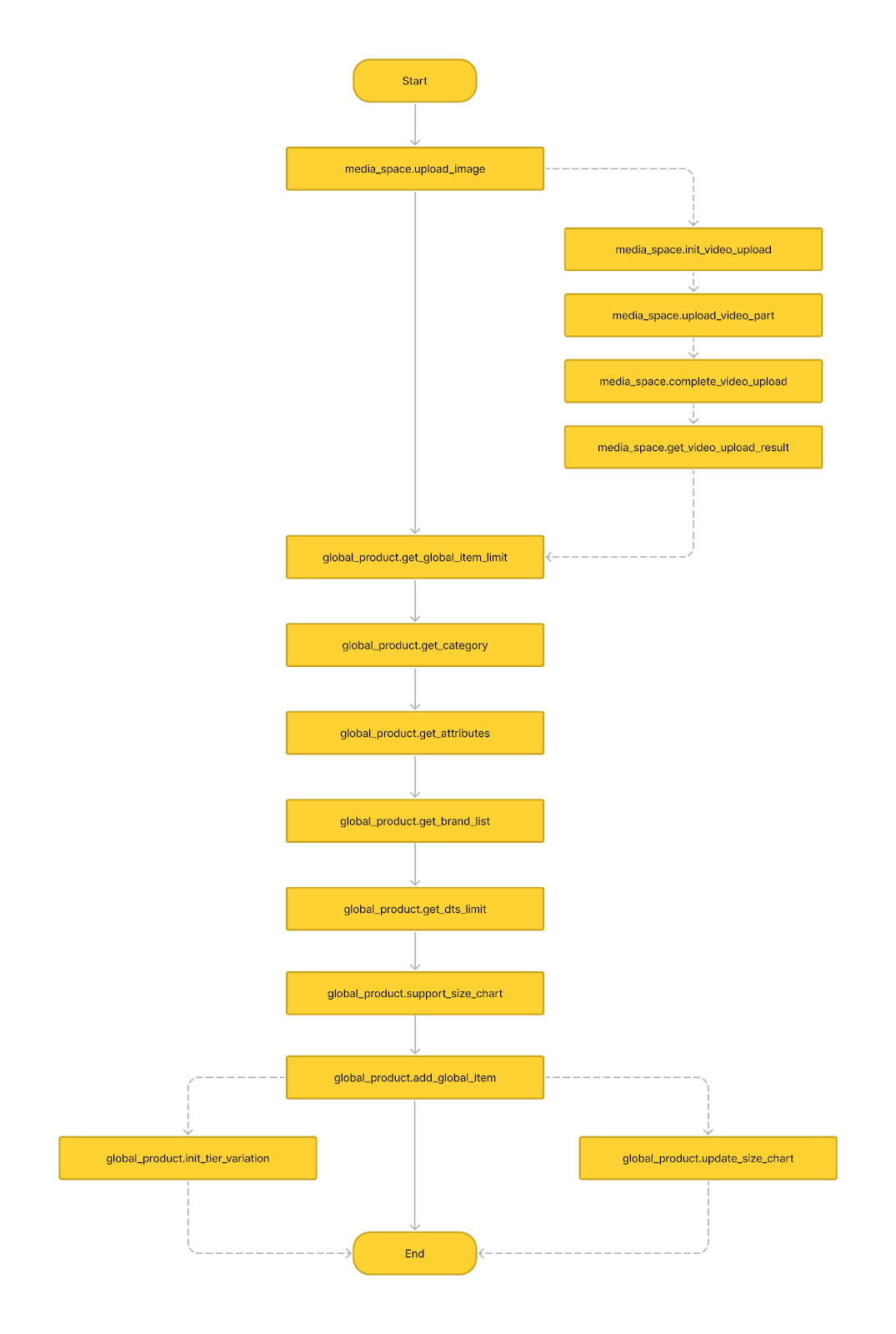
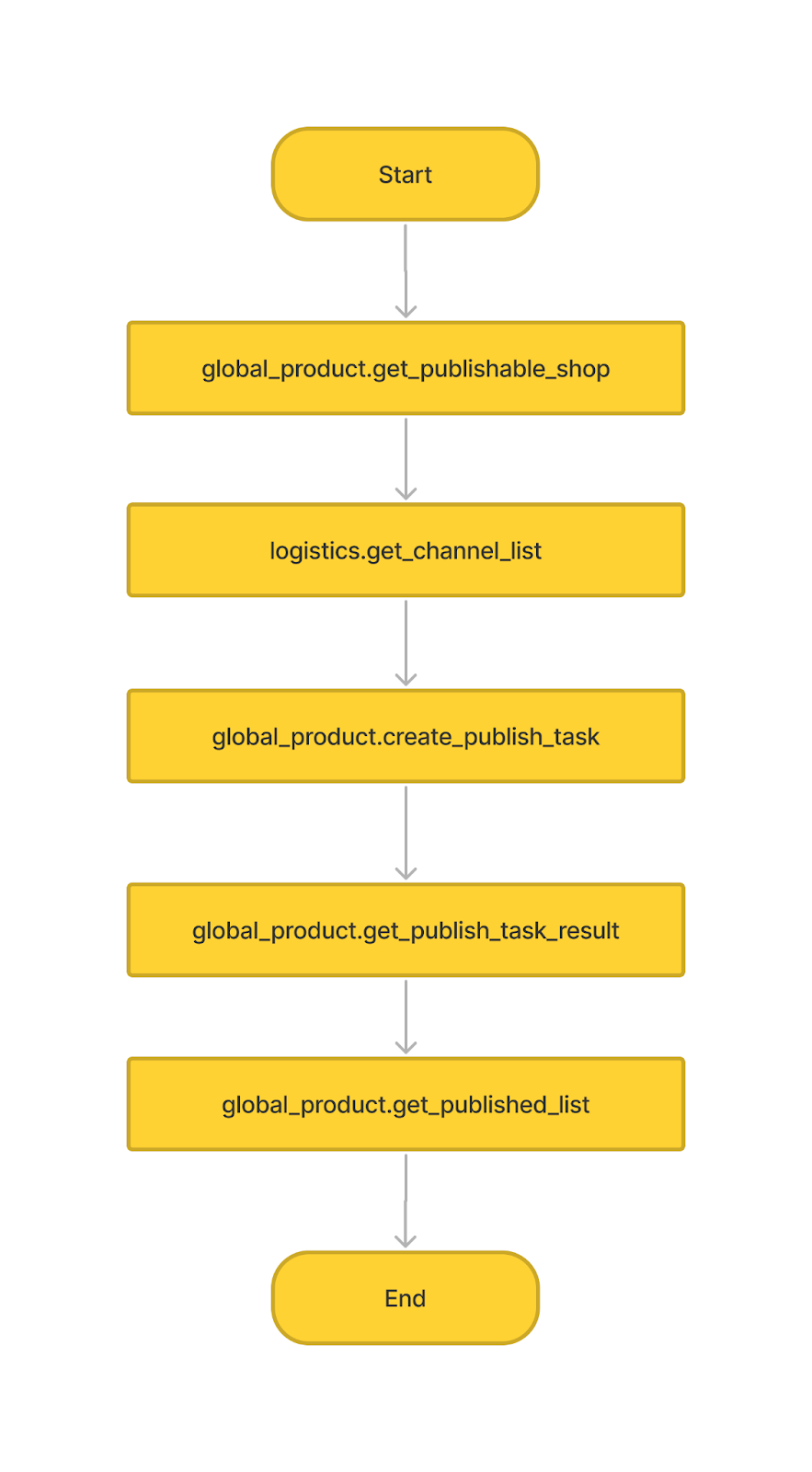
API call flow overview
*Solid line is required process, dashed line is not required process
1. Creating Product
2. Creating global product
3. Publishing global product
Data Definition
Attribute value data type
(input_validation_type)
- INT_TYPE
- STRING_TYPE
- ENUM_TYPE
- FLOAT_TYPE
- TIMESTAMP_TYPE
- DATE_TYPE
Attribute input type
(input_type)
- DROP_DOWN
- TEXT_FILED
- COMBO_BOX
- MULTIPLE_SELECT
- MULTIPLE_SELECT_COMBO_BOX
Logistics type
(fee_type)
- SIZE_SELECTION
- SIZE_INPUT
- FIXED_DEFAULT_PRICE
- CUSTOM_PRICE
Item status type
(item_status)
- NORMAL
- DELETED
- BANNED
- UNLIST
Translation language
(language)
- zh-hans:Simplified Chinese
- zh-hant: Traditional Chinese
- ms-my:Malay
- en-my: English (Malaysia)
- en: English
- id: Indonesian
- vi: Vietnamese
- th: Thai
- pt-br: Portuguese
- es-mx: Spanish (Mexican)
- pl: Polish
- es-CO: Spanish (Colombia)
- es-CL: Spanish (Chile)
Stock type
(stock_type)
- 1: Shopee Warehouse stock
- 2: Seller stock
Product promotion type
(promotion_type)
- Campaign
- Discount Promotions
- Flash Sale
- Whole Sale
- Group Buy
- Bundle Deal
- Welcome Package
- Add-on Discount
- Brand Sale
- In ShopFlash Sale
- Gift with purchase
- Exclusive Price
Market Code
- SG: Singapore
- MY: Malaysia
- TW: Taiwan
- ID: Indonesia
- VN: Vietnam
- TH: Thailand
- BR: Brazil
- PH: Philippines
- MX: Mexico
- CO: Colombia
- CL: Chile
- PL: Poland